Green-screen shoot checklist: what to brief before filming
Plan your green-screen shoot around the finished image, with a practical checklist for backgrounds, wardrobe, framing, lighting, testing and the handover to post-production.
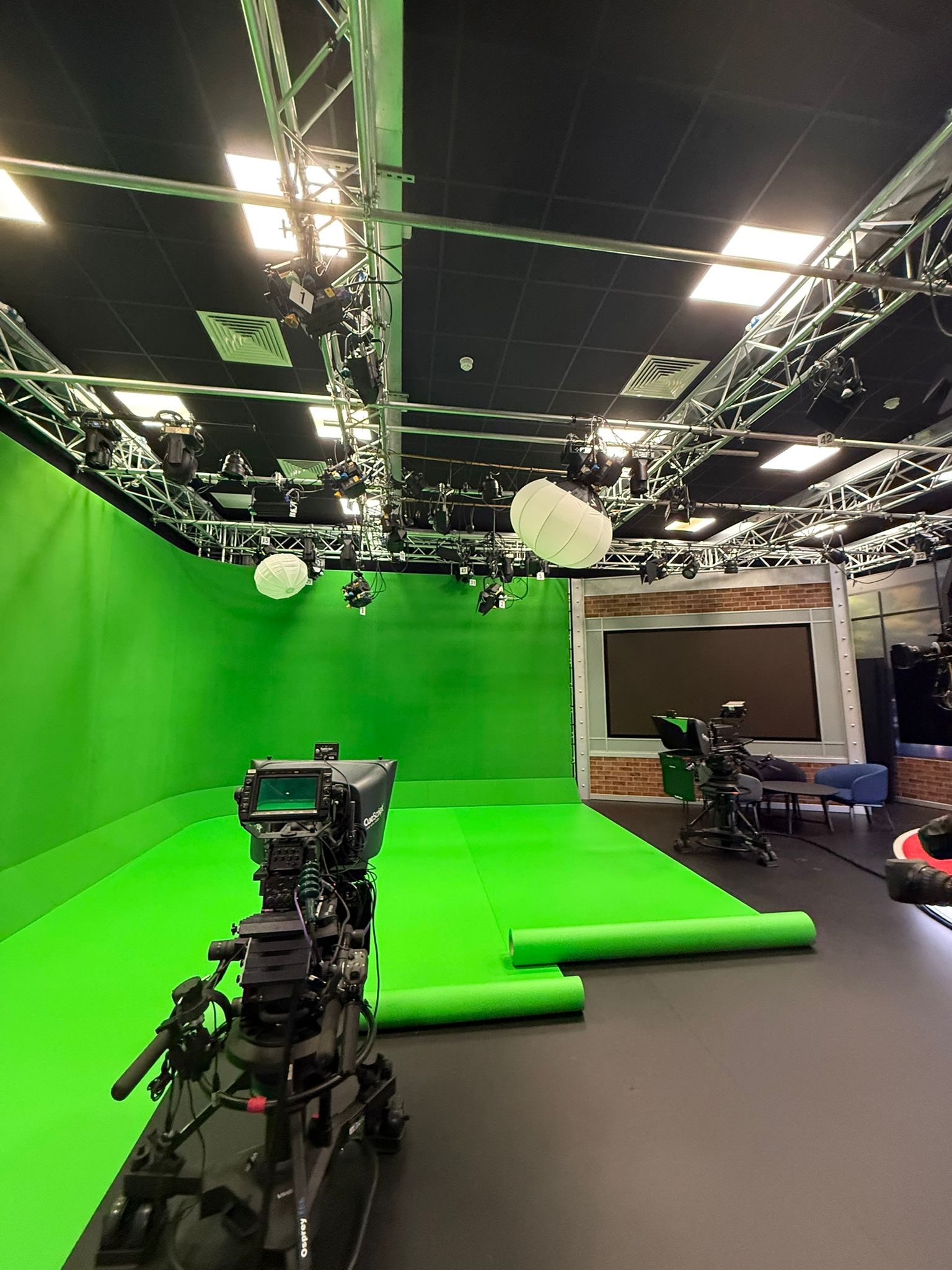
Start with the image you want to deliver, not just the green wall. The replacement background should guide your framing, lighting and the contributor's movements. From there, work through wardrobe, the technical setup and a test with post-production. The checklist below helps you turn those decisions into a brief the whole team can use.
At a glance
What should a green-screen shoot brief include?
Include a background or visual reference, shot sizes and delivery formats, contributor movement, wardrobe and props, and the camera and lighting plan. Leave time for a representative test and identify who approves it. Set out what post-production will receive and who will remove the green, add the background, edit and deliver the finished video.
Start with the replacement background
Share the image, footage or design that will replace the green screen. If it is still in development, send a clear reference and explain what might change. A bright office, a dark digital environment and a graphic presentation may need different lighting on the subject.
That reference belongs in the shoot brief, not just the edit folder. Adobe's green-screen guidance explains why the subject's light direction should match the replacement scene. Work through camera perspective, horizon and light direction with the camera and post teams. Include the contributor's eyeline: where they should look or point when an object or graphic will be added later.
Identify who supplies and approves the background, who checks permission to use it, and when post-production needs it. Review planned versions together; one lighting setup may not suit every environment.
- Is the background final, provisional or still to be created?
- Where should the subject sit within the finished frame?
- Will the contributor interact with graphics or objects added later?
Brief framing, crops and movement
List the close-ups, medium shots and full-length frames you need. Say whether feet, furniture or contact with the ground must appear. Include the widest gesture or movement, rather than just the contributor's starting position, so the crew can plan screen coverage and working space.
Specify each delivery shape, such as landscape and portrait. Decide whether you need separate takes or can crop one recording, leaving room for titles and graphics in each version. Check both frames during the test: a landscape shot will not necessarily leave enough room for a portrait crop.
Say whether the camera stays fixed, pans or moves through the space. For camera movement, ask the compositor—the person combining the subject and background—whether tracking markers or extra reference shots are needed. Markers provide visible reference points for tracking; they are not a requirement for every green-screen shoot. Record any camera measurements the compositor requests.
Review wardrobe and props before arrival
Send photographs of proposed outfits, accessories and important props before the shoot. Check the details as well as the main colour: a logo, tie, trim or greenish fabric can conflict with the colour being removed. Adobe flags green clothing and reflective objects as potential keying problems.
Glasses, jewellery, shiny packaging and polished surfaces can pick up green reflections. Fine hair, lace and translucent fabrics also need a close look in the test. These are reasons to involve the camera and post teams, not to ban every difficult material. Flag any essential brand colour or product that might cause a conflict before choosing the final look.
Give contributors a short wardrobe note and ask them to bring an agreed alternative. Test with the actual outfit and props wherever possible; a stand-in in different clothes will not reveal the same issues.
Assign the technical setup and allow time to test
Identify the camera and lighting lead, then list who supplies the camera, lenses, lights, sound recording and any autocue. Make clear which items you are hiring and which your crew will bring. Discuss recording settings with post-production before the shoot.
Aim for an evenly lit screen and a subject lit for the intended scene. Adobe recommends lighting the screen and subject separately. Space between them helps reduce green spill: light from the backing reflecting onto the subject. The distance and lighting arrangement depend on the shot, so check them in the test rather than relying on one fixed measurement.
Leave time for setup, wardrobe checks, rehearsal, test review and adjustments before the main takes. Changed framing or outfits may need a reset, and the file handover also needs time. When discussing a Green Screen Studio shoot, share the widest frame, intended movement and crew plan alongside your dates.
Approve a representative test, not just the green wall
Record a short test in the intended wardrobe, with the props, lighting and framing you plan to use. Include movement such as a head turn, hand gesture or the fastest action in the shot. If you have several distinct setups, decide which need their own test.
Where practical, have post-production make a test key—removing the green—and combine the subject with the intended background. A clean-looking camera image alone will not show how the edges behave in the composite. Check hair and fine detail, green spill, reflections and movement. Adobe's keying guidance highlights fine and semi-transparent detail as important to review. Then check the perspective, light direction and delivery crops.
Give the technical reviewer and creative approver a clear point to sign off the test. Note any changes before continuing. If lighting, wardrobe or framing changes later, revisit the affected checks.
Define the handover and ownership of post-production
Green-screen footage is not the same deliverable as a finished composite. Set out who selects takes, removes the green, adds the background, edits and grades the result. Specify whether the handover is original footage, a keyed element with the green removed, or finished videos.
Ask the receiving post team for its requirements before filming. Put the resolution, frame rate, recording format and colour settings in the brief, along with file naming and the transfer route. Add any requested lens and camera-position notes, reference images or clean plates. For a green-screen test, a recorded clean plate shows the backing without the subject or props to be keyed, using matching camera and lighting settings. Ask whether post needs one for your workflow.
Choose who receives the originals, supplies transfer media if needed and keeps independent copies. Settle storage and retention arrangements at the same time, so everyone knows how long files will be available. If you need help beyond studio hire, discuss the required production support separately.
- Who handles the edit, key and composite?
- Which files and references does post need, and when?
- Who supplies approved background assets and checks usage rights?
- Who keeps copies and approves each finished version?
Send one brief that everyone can work from
Bring the shot list, background references, wardrobe images, delivery requirements and responsibilities into one document. Mark open decisions with an owner and deadline, and share the same version with the producer, camera lead, studio contact and post team.
To discuss your London shoot with Big Wig Studios, send it through the Green Screen Studio enquiry or call 020 3878 7697. Include your proposed dates, schedule and the support you need, so the enquiry describes the production as well as the space.
Put it into practice
Green-screen shoot checklist: ready to film?
Tick off each point as you prepare your brief.
Sources & further reading
Green Screen Studio
Enquire with your green-screen brief
Share your background reference, framing, dates and production responsibilities to discuss your green-screen shoot at Big Wig Studios in London.